


Both Ableton Live and Bitwig Studio share a common origin: Bitwig was founded by former Ableton engineers who set out to build a DAW with a fresh approach. Today, each has evolved into a distinct platform, and choosing between them for live performance means understanding where they differ and where they overlap.
In short:
- Session View vs Clip Launcher: Ableton's Session View and Bitwig's Clip Launcher offer similar clip based workflows, but differ in how scenes, transitions, and arrangements are handled during a live set.
- Stability & Reliability: Ableton Live has decades of stage proven reliability, while Bitwig counters with sandboxed plugins and crash recovery that isolate failures before they derail a performance.
- Realtime Modulation: Bitwig's modulation system lets you assign any parameter to any modulator on the fly, giving you a level of realtime sound manipulation that Ableton cannot match without Max for Live.
- Hardware & Controllers: Ableton offers deep integration with Push and officially supported control surfaces. Bitwig provides flexible Python scripting and native CV output for modular synth setups.
At their core, both DAWs use a clip based, nonlinear workflow designed for improvisation. You launch clips, build scenes, and shape your set in real time. But the tools each provides for shaping, modulating, and recovering from mistakes diverge significantly. Here is how they compare when the audience is watching and there is no room for error.
Session View vs Clip Launcher
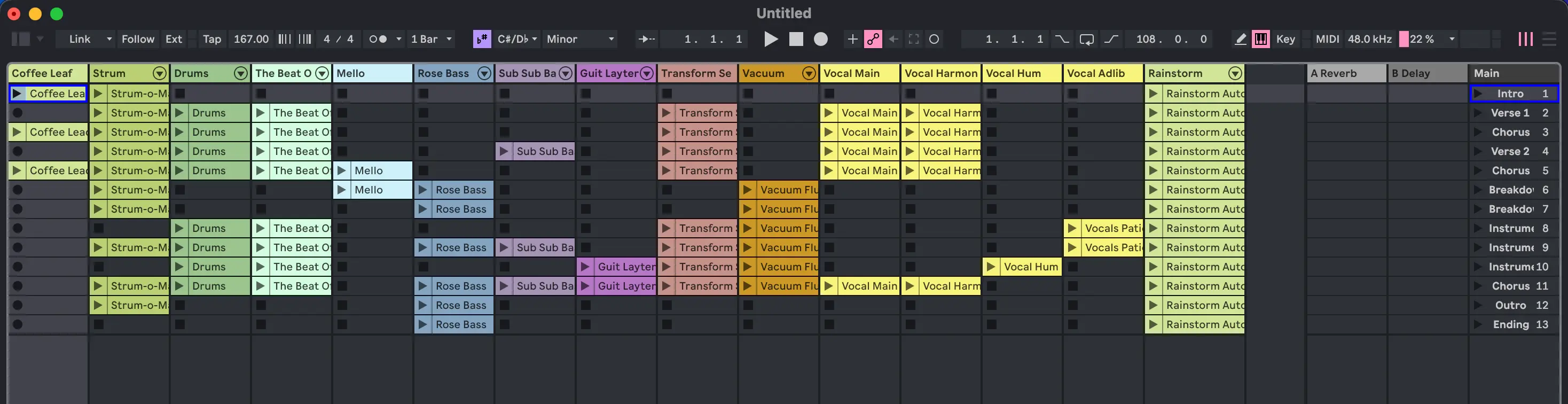
Ableton's Session View is the industry standard for clip based live performance. You organize clips in a grid, trigger scenes with a single press, and record your arrangement on the fly. It is deeply integrated with the Push controller, letting you launch, mix, and compose without touching a mouse.
Bitwig's Clip Launcher follows the same principle but adds a few twists:
- Clip follows let a clip automatically trigger the next clip in a chain, useful for building evolving sequences without manual launching.
- Scene pins allow you to keep scenes running independently, so you can layer rhythms from one scene with melodies from another.
- Integrated Arrange view means you can toggle between clip launching and linear arrangement without switching modes.
Both systems work well for live sets. Ableton's is more mature and widely documented, with a massive library of performance templates available online. Bitwig's is more flexible, especially if you want clips to evolve and chain without constant input.
Tip: If you tend to perform with pre arranged sets and rely on scenes to move through your track, Ableton's Session View feels more immediate. If you prefer long evolving sets with minimal interaction, Bitwig's clip follows and scene pins give you more automation.
Controller Mapping & Hardware
Ableton Live has polished control surface support. Push 2 and Push 3 are first class citizens: every parameter, every device, and every mixing function is mapped out of the box. Third party controllers from Novation, Akai, and Native Instruments also receive official scripts that work immediately after activation.
Bitwig takes a scripting approach. Its Controller API lets you write Python scripts for any MIDI controller, and the community has built scripts for dozens of devices. The tradeoff is more setup work compared to Ableton's plug and play experience.
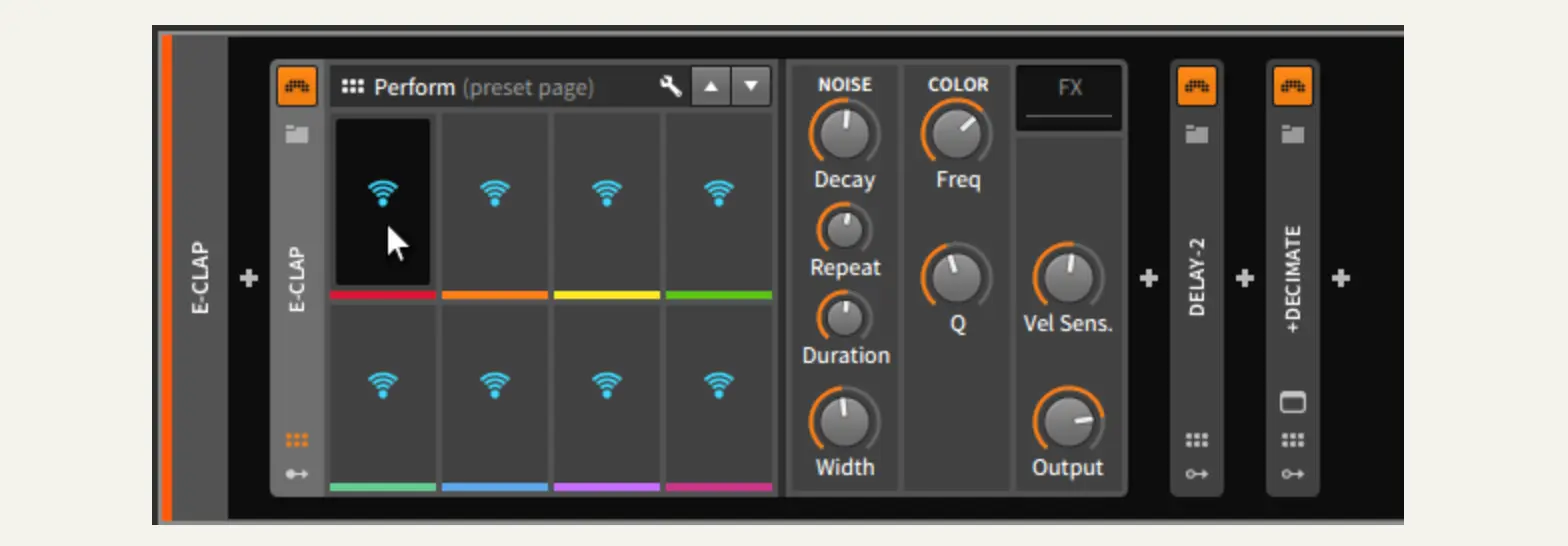
Where Bitwig wins here is with CV support. It features four audio interface outputs that can send control voltage directly to modular synthesizers and analog gear, making it one of the few DAWs to treat modular integration as a first class feature rather than an afterthought. You don't need the full license to get started with modular integration, as both Bitwig and Ableton support CV in their entry level versions.
Tip: With Ableton and Push, you can show up to a gig with just your laptop and controller and be performance ready quickly. No custom scripting, no mapping, just plug in and play. This zero setup workflow is hard to beat when simplicity and speed matter.
- Ableton Push 3 official product page
- Bitwig Controller Scripts community repository
Stability & Reliability
When you perform live, reliability matters more than features. A crash during a show is not an option.
Ableton Live has been battle tested on stages worldwide for over two decades. Its stability record is strong, especially when running stock devices and approved third party plugins. The workflow for managing CPU load, such as freezing tracks and reducing complexity, is well understood and documented.
Bitwig Studio addresses stability differently. Its plugin sandbox isolates third party plugins in separate processes. If a plugin crashes, Bitwig keeps running and simply reloads the plugin. This is a significant advantage when your set depends on VSTs that may not be as stable as native devices.
Both DAWs offer:
- Multicore and multicore audio processing to distribute CPU load
- Latency compensation for live monitoring
- Undo history so you can recover from mistakes mid set
In practice, Ableton's longer track record means fewer surprises. Bitwig's sandbox approach means you can take more risks with experimental plugins.
Tip: Bitwig also runs natively on Linux. This opens the possibility of building a dedicated, stripped down live machine on older hardware, running a minimal OS with fewer background processes and lower latency. For musicians who want maximum stability on a budget, this is a compelling option that Ableton simply cannot offer.
Realtime Sound Design & Modulation
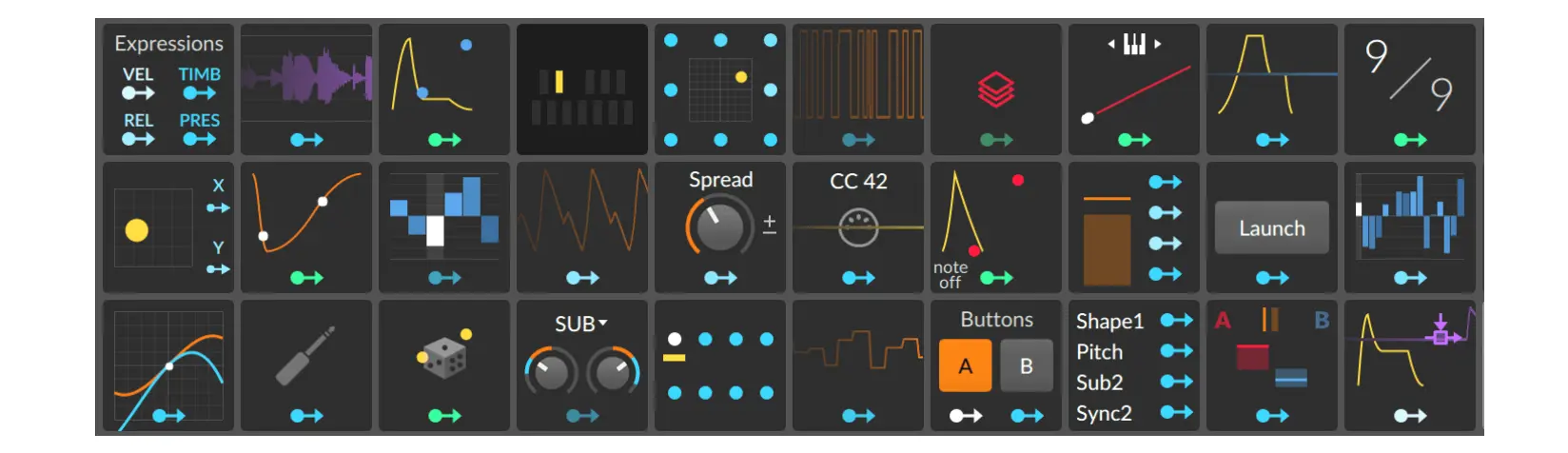
This is where Bitwig distances itself. Its modulation system lets you drag any parameter to any modulator: LFOs, envelopes, random, velvet noise, and more. Every device, including third party VSTs, can receive modulation. You can chain modulators, modulate modulators, and create evolving textures that would require extensive patching in other environments.
Ableton Live offers modulation through built-in device parameters and, with Suite, Max for Live. Max for Live is powerful but requires programming knowledge and introduces an additional layer of complexity. Out of the box, Ableton's modulation capabilities are limited compared to Bitwig's drag and drop approach.
For live performance, this means:
- In Bitwig, you can transform a simple pad into a shifting, breathing sound on the fly, assigning an LFO to filter cutoff, resonance, and stereo width in seconds.
- In Ableton, you would need to either automate each parameter manually or build a Max patch to achieve the same result.
If your live sets are premixed and require minimal realtime tweaking, Ableton's simpler approach may be all you need. If you enjoy performing as much as mixing, Bitwig's modulation depth gives you more instruments on stage.
Plugin Ecosystems
Both DAWs support VST2, VST3, and AU plugins (on macOS). Bitwig additionally supports the CLAP plugin format, which is gaining traction among developers for its modern architecture and expressive MIDI capabilities.
Ableton's advantage is Max for Live, giving Suite owners access to thousands of community built devices that extend Ableton far beyond its stock offerings. From sequencers to granular processors to visual tools, the Max for Live library is unmatched in scope.
However, Max for Live devices can be CPU hungry and occasionally unstable during live sets, which brings us back to the reliability question discussed above.
Tip: Regardless of which DAW you choose, keep a separate "live set" project that avoids unstable or CPU heavy plugins entirely. Live sets demand 100% reliability, so strip anything that is not essential for the performance. Save your experimental processing for studio sessions.
- Ableton Live official product page
- Bitwig Studio official product page
Conclusion
Choose Ableton Live if you value proven stability, a mature ecosystem of controllers and templates, and a straightforward Session View workflow that has been refined over two decades of stage use. It is the safe and reliable choice.
Choose Bitwig Studio if you want deeper realtime modulation, plugin sandboxing for experimental setups, native CV output for modular gear, and a clip launcher that can automate more of your set. It is the flexible and adventurous choice.
Both are excellent DAWs for live performance. If you are just starting out, my sincere advice is to go with Ableton Live. Not because it is objectively better, but because it is the most widely used solution for live sets. The amount of online resources, tutorials, templates, and community support available is simply unmatched. When something breaks at 2am before a gig, you will find someone who has already solved that exact problem. That matters more than any feature list.
If you want to figure out where you currently stand in your live music production journey, take the quiz at livelab.drolez.com. And if you need someone to help you get your live set together, I offer one on one coaching for exactly that.
If you have experience with either DAW for live sets, please comment below 😉


Speak your mind